
Niransoft EMS: The Engine Behind Our Engineering
A custom-architected Enterprise Management System designed to unify workforce analytics, engineering velocity, and operational security.
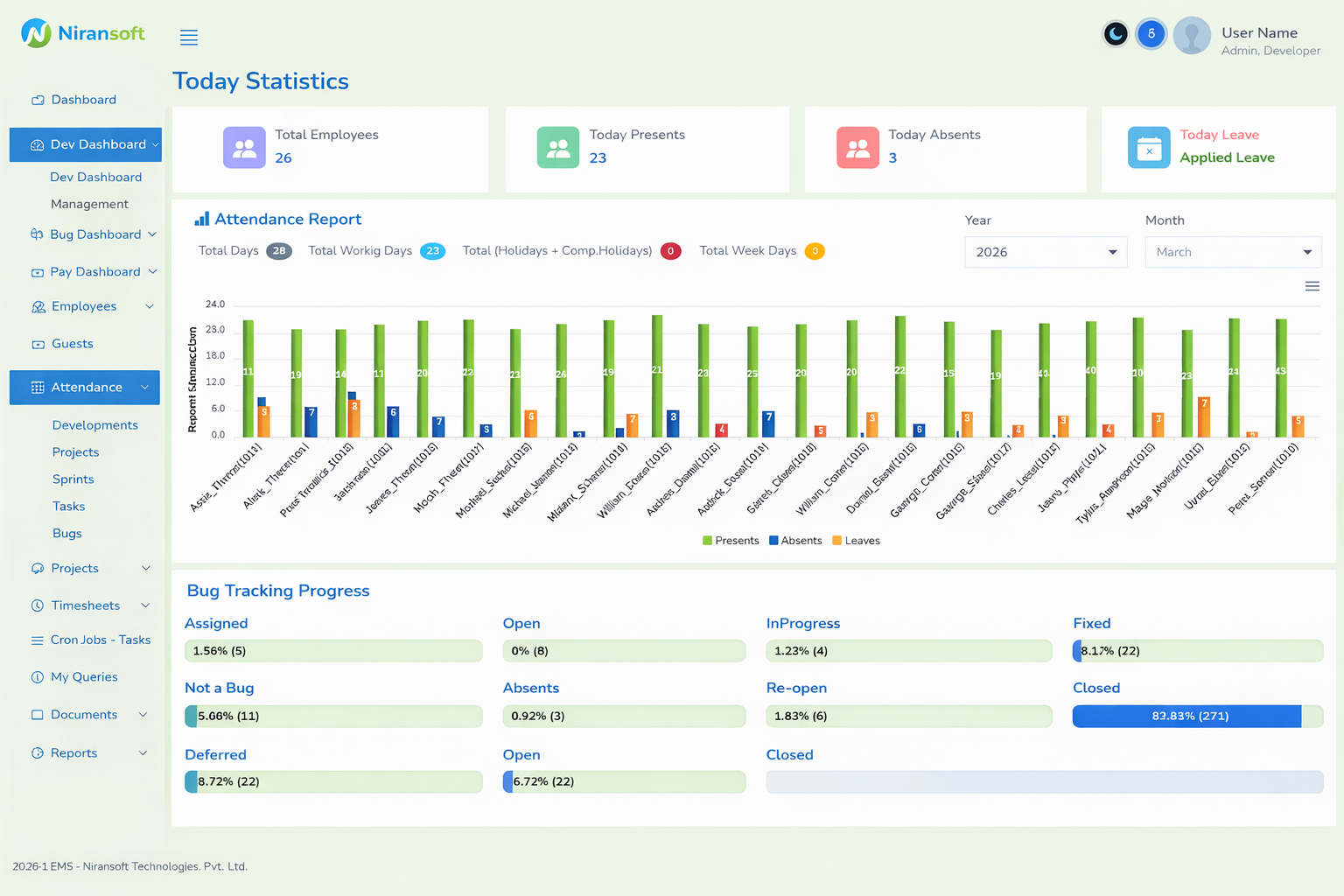
Company Dashboard
Centralized overview with real-time project metrics, team activity & key performance indicators
Why We Built It
At Niransoft, we operate at the intersection of high-performance web architecture and advanced AI. Standard SaaS operational tools lacked the custom workflows and stringent data security controls our internal teams required.
Our solution was to engineer the Niransoft EMS — a proprietary, scalable platform that centralizes our entire operational ecosystem into a single, highly responsive interface.
Core Architecture
Key Platform Capabilities
Four pillars of enterprise-grade functionality powering workforce management, engineering velocity, and operational security.
01
Integrated Engineering & QA Lifecycle
Directly integrates our development cycles with rigorous QA tracking. Managers gain real-time visibility into bug lifecycles (Open, In Progress, Re-test, Closed), ensuring client projects consistently meet our zero-defect deployment standards.
02
Real-Time Human Capital Management
Replaces fragmented HR tools with a unified system. Features include instant attendance reporting, dynamic leave approval workflows, and automated payroll synchronization — all visualized through high-performance graphical dashboards.
03
Granular Project & Time Tracking
Advanced timesheet logging ensures complete transparency and precision in engineering hours, enabling project managers to optimize resource allocation in real time.
04
Enterprise-Grade Security
Built with strict role-based access control (RBAC), ensuring sensitive data — from internal developer discussions to financial payroll records — is securely compartmentalized and accessible only to authorized personnel.
Centralized Operations Hub
Company Dashboard
A comprehensive company-wide dashboard providing real-time visibility into project metrics, team activity, and key performance indicators. Monitor active projects, track resource utilization, and access critical business insights — all from a single unified interface designed for leadership and project managers.
Real-time project metrics
Team activity overview
Key performance indicators
Resource utilization
Executive-Level Insights
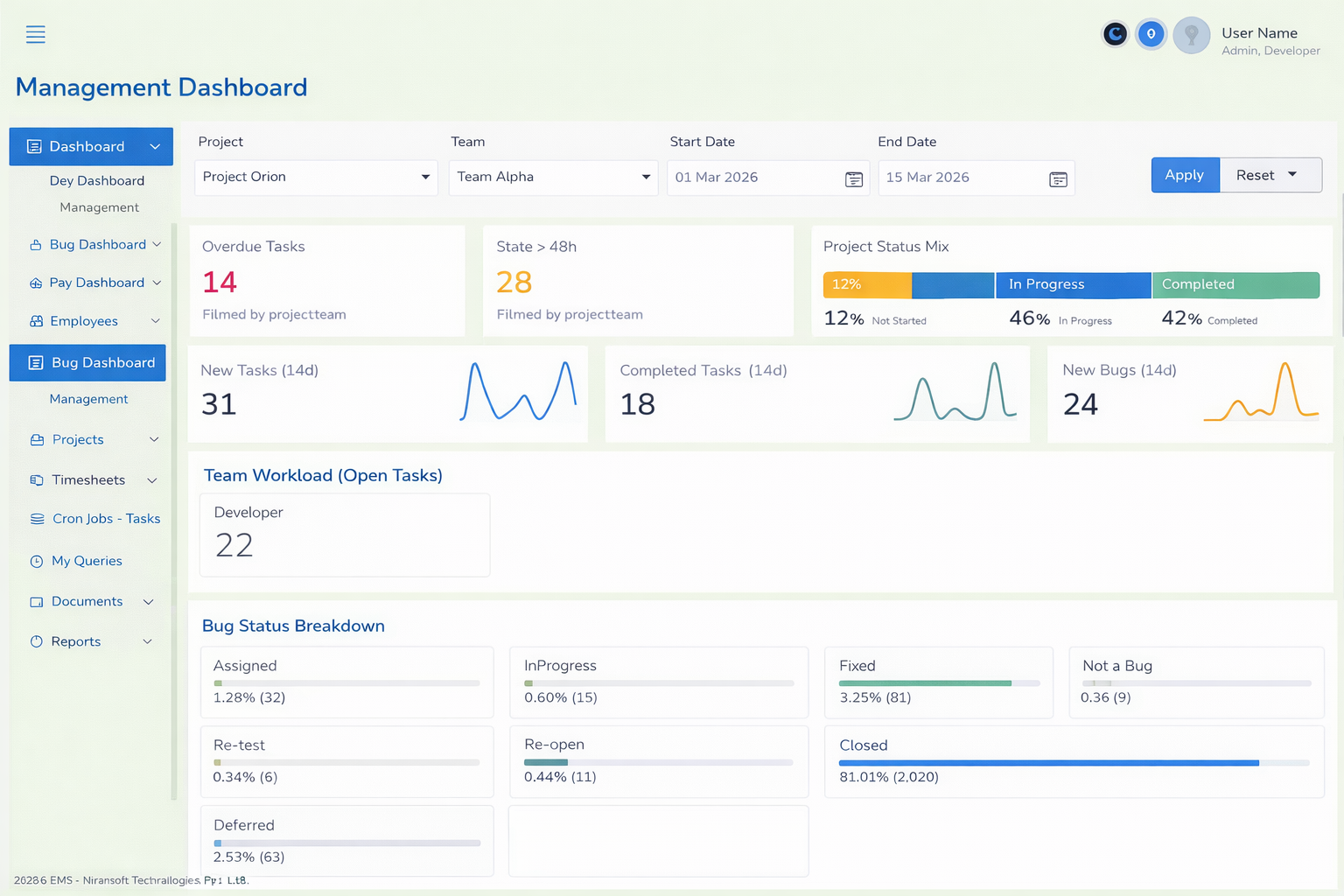
Management Dashboard
An executive dashboard tailored for managers and team leads, offering deep insights into resource allocation, sprint progress, and department-level analytics. Track team productivity, monitor deliverables across projects, and make data-driven decisions with intuitive charts and actionable summaries.
Resource allocation view
Sprint progress tracking
Department analytics
Data-driven insights
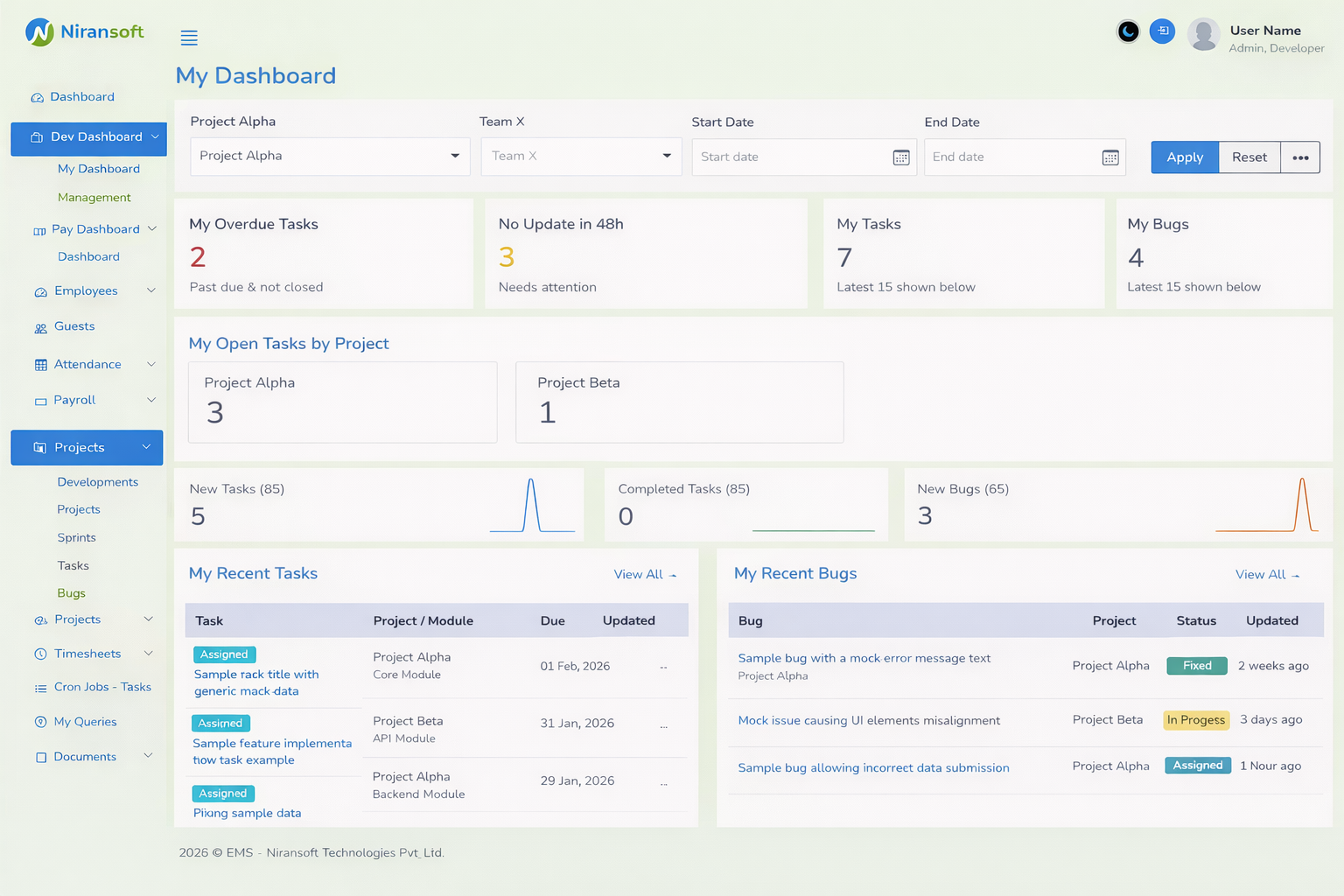
Personal Productivity Workspace
My Dashboard
A personalized workspace for every team member showing assigned tasks, daily check-ins, and individual productivity statistics. Quickly access your pending work items, track your daily progress, and stay on top of deadlines with a clean, focused interface designed for maximum efficiency.
Assigned task overview
Daily check-in tracking
Personal productivity stats
Deadline reminders
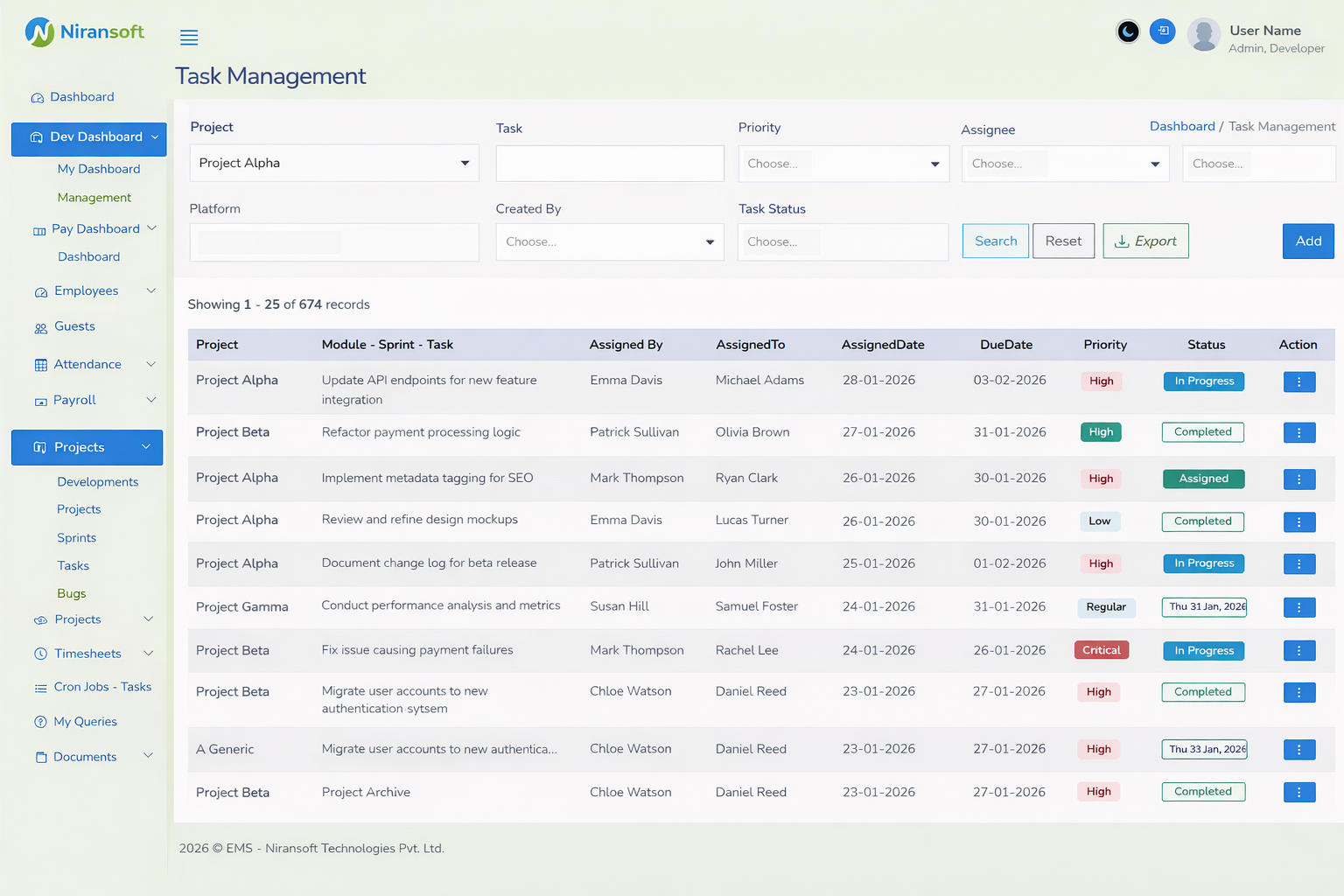
Sprint-Based Task Tracking
Task Management
A comprehensive task board with advanced filters for project, platform, task status, priority, and assignee. Manage sprints, track deadlines, and view assignment details across the entire team. Each row displays the task module, sprint, assignees, due date, and current status at a glance with pagination for large datasets.
Multi-filter task search
Sprint & module tracking
Assignee & deadline view
Paginated task listing
Detailed Task Lifecycle
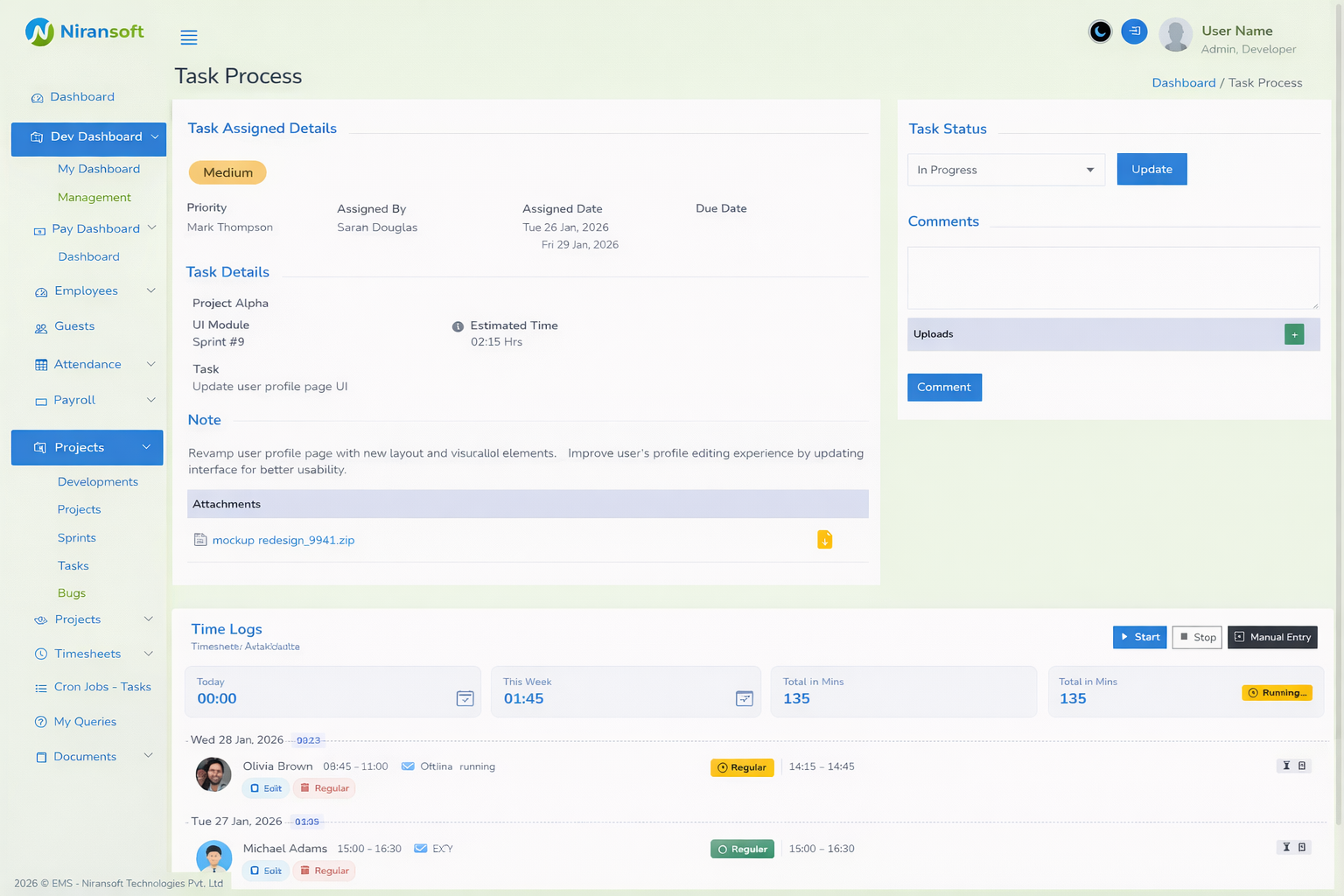
Task Process
Drill into any task to see its full lifecycle — priority level, assigned by and to, due dates, project module, and platform tags. Update task status in real-time, add comments and file uploads for collaboration, and log time with Start, Stop, and Manual Entry controls. Today, this week, and total hours are tracked with timezone-aware precision.
Priority & assignment details
Real-time status updates
Comments & file uploads
Time logging controls
End-to-End Defect Management
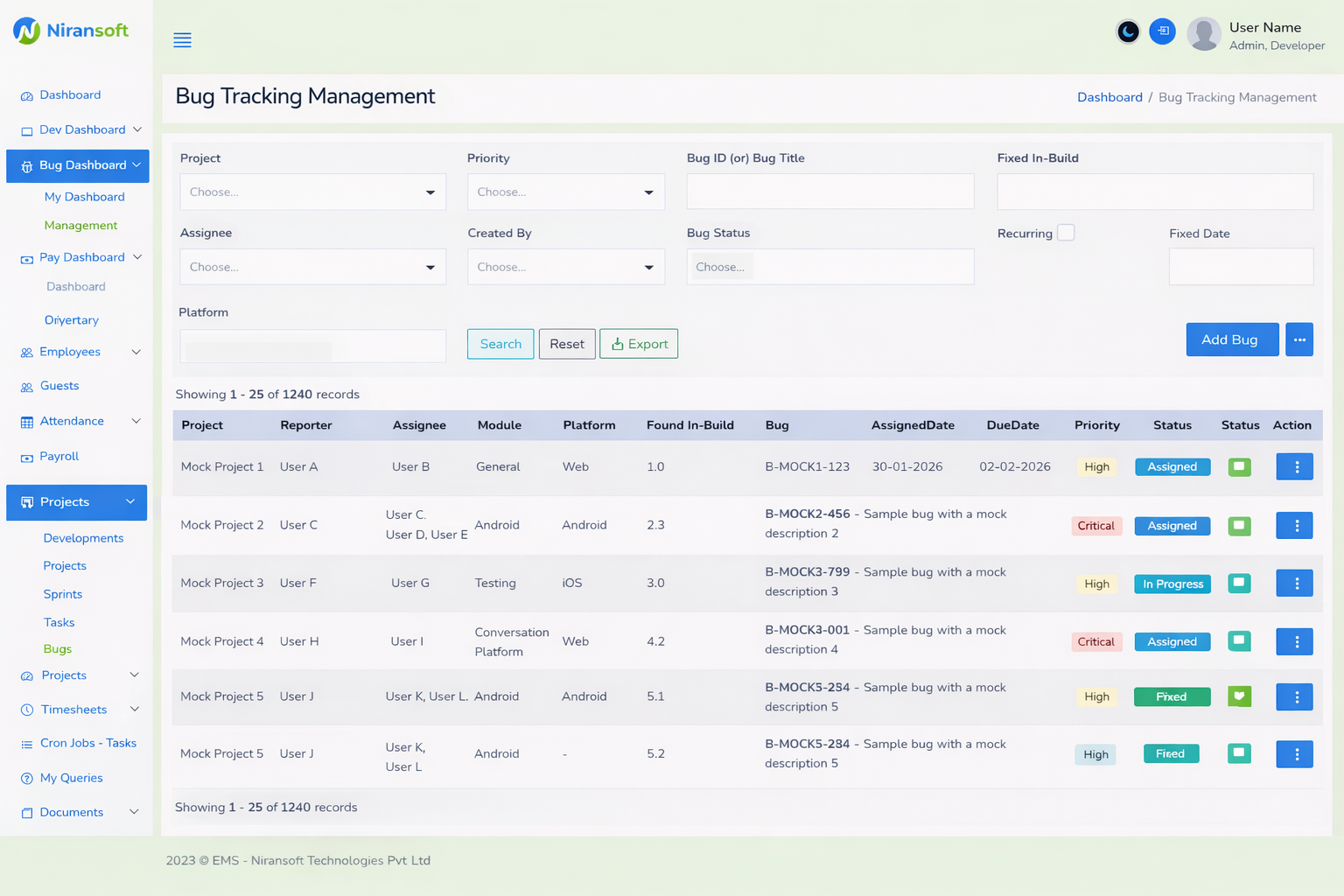
Bug Tracking
A dedicated bug tracking module for managing the entire defect lifecycle — from discovery to resolution. Categorize bugs by severity, assign to developers, track fix progress, and ensure quality with structured resolution workflows. Real-time status updates keep the entire team aligned on critical issues.
Severity-based categorization
Developer assignment
Fix progress tracking
Resolution workflows
Complete Audit Trail
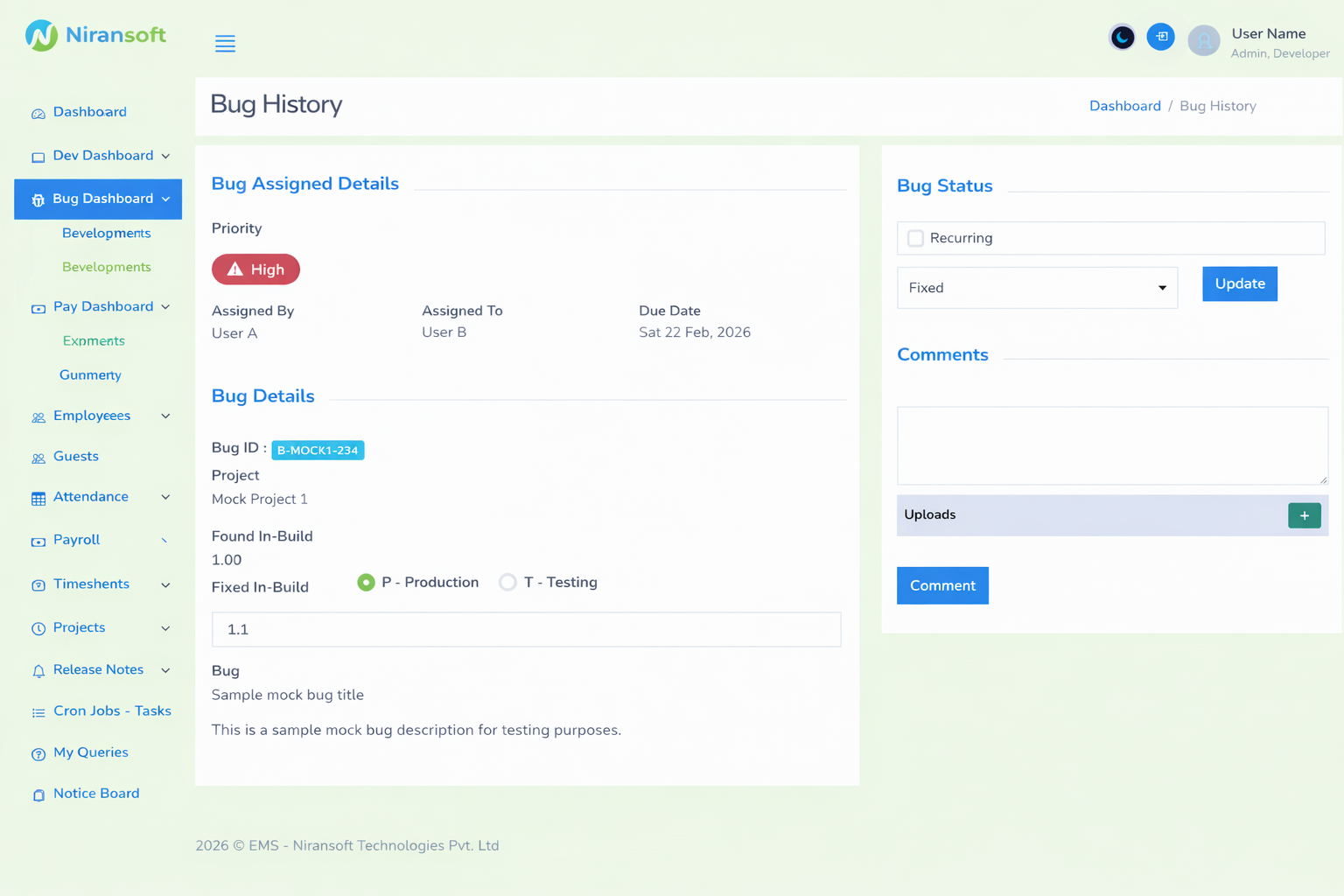
Bug History
Maintain a complete audit trail of every bug's lifecycle changes, status transitions, and developer activity. Review historical data to identify recurring patterns, measure resolution times, and improve development processes with detailed activity logs and timestamp-accurate change tracking.
Lifecycle change tracking
Status transition logs
Developer activity history
Pattern identification
QA Oversight Dashboard
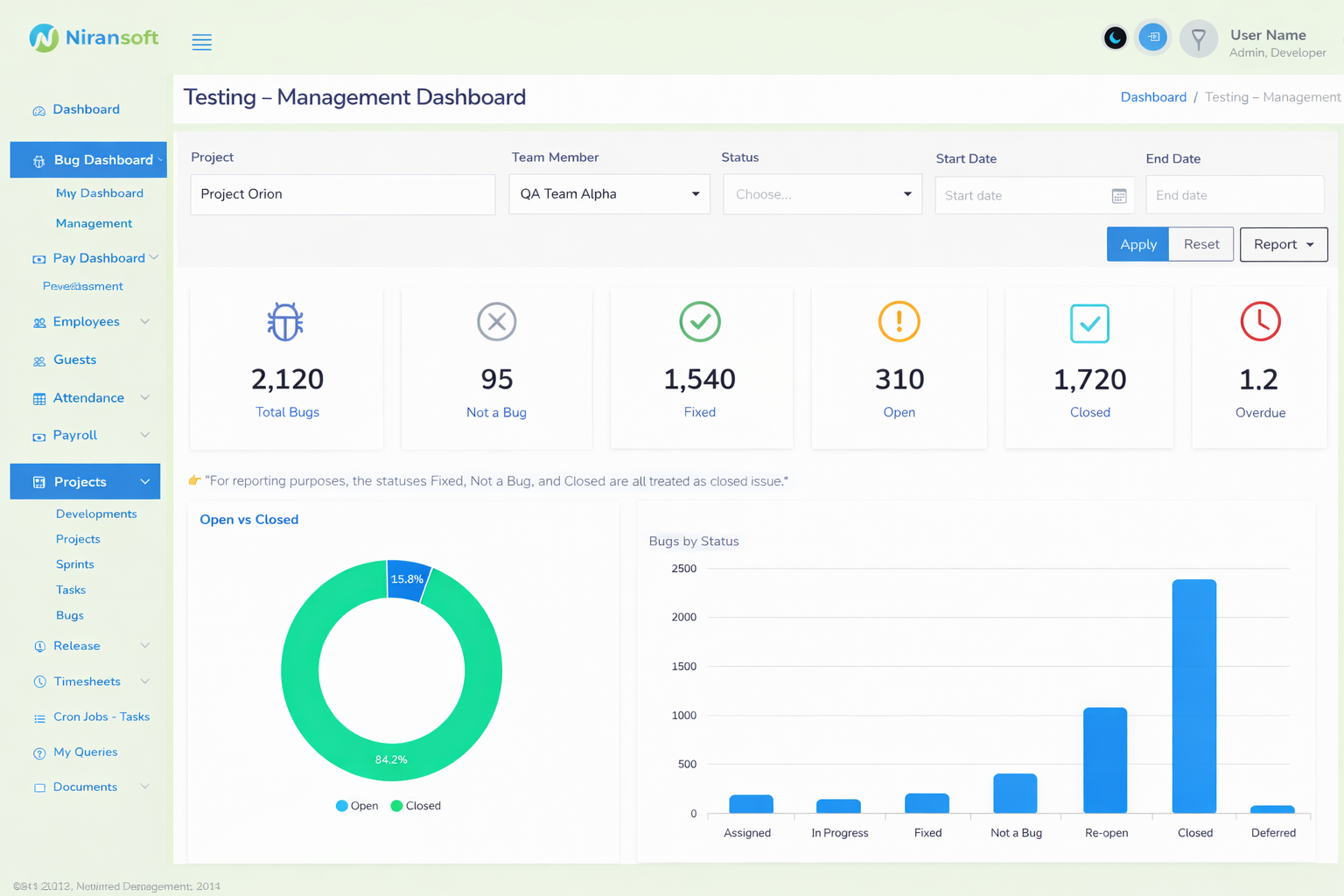
Testing Management
A QA management dashboard providing oversight into test case progress, defect density, and team workload distribution. Track testing milestones, monitor coverage across modules, and ensure comprehensive quality assurance with visual progress indicators and team performance metrics.
Test case progress
Defect density metrics
Team workload distribution
Coverage monitoring
Personal QA Workspace
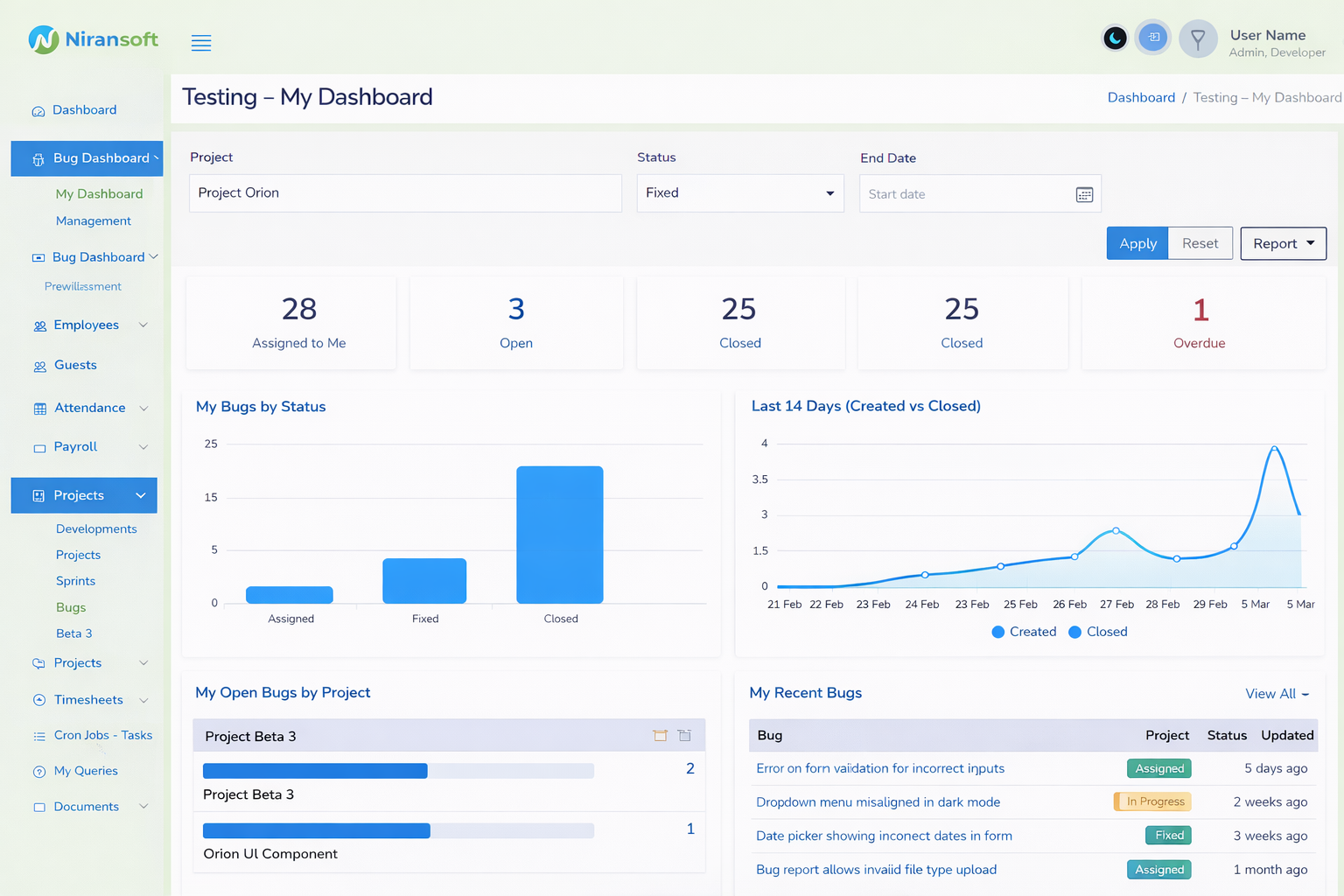
Testing - My Dashboard
A focused workspace for QA engineers showing assigned test cases, reported bugs, and daily testing metrics. Stay organized with a clear view of your testing queue, track your bug reports, and monitor individual testing performance — all tailored to the tester's daily workflow.
Assigned test cases
Bug report tracking
Daily testing metrics
Personal QA performance
Value Demonstrated
The Niransoft EMS serves as a living case study of our ability to build complex, data-intensive, and secure enterprise dashboards that streamline operations and eliminate administrative friction.
Tech Stack
Status
Need a Custom Enterprise Platform?
We build the same caliber of secure, data-intensive dashboards for our clients. Let's architect a solution tailored to your operational needs.